
Cura Systems alternatives for UK care homes
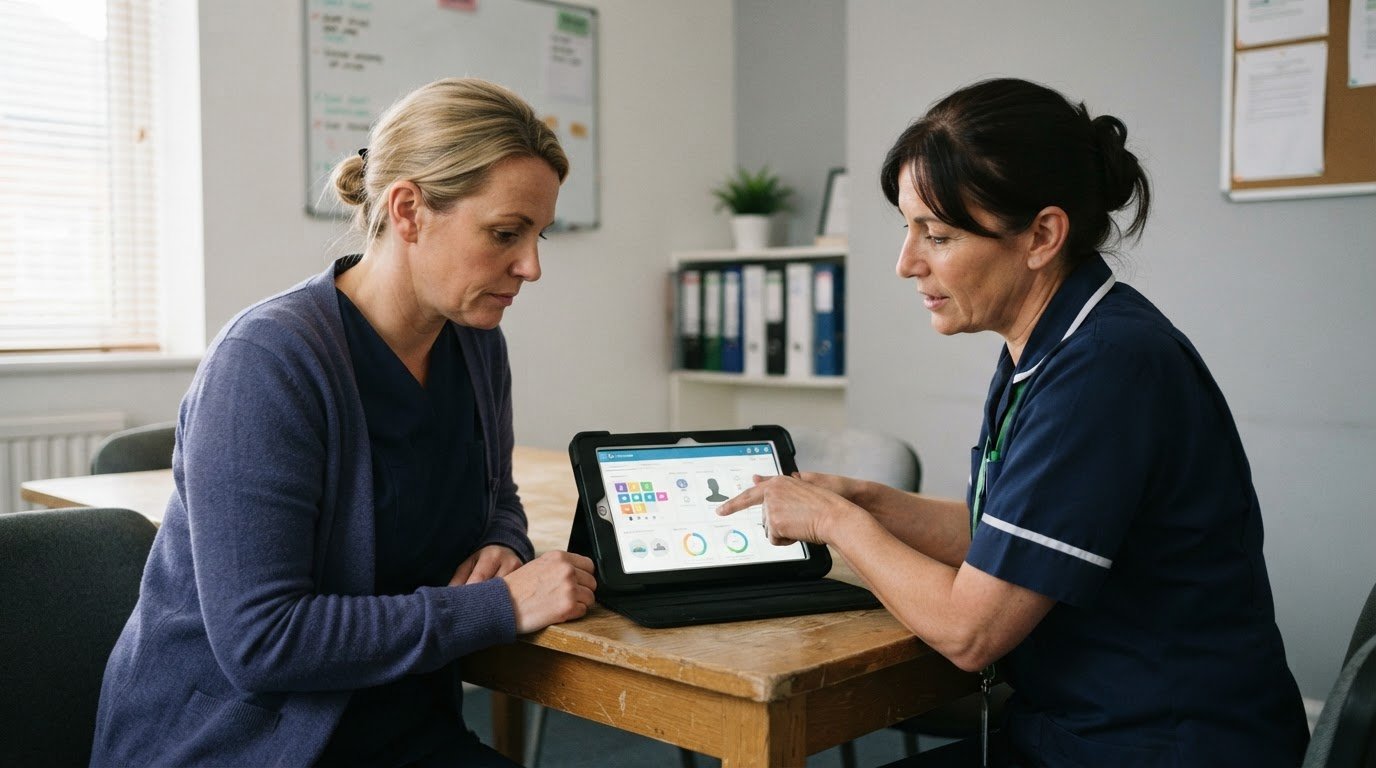
The best alternative to a care planning system isn’t necessarily the one with the longest feature list. When comparing Cura Systems alternatives for care homes, focus on whether the software fits how your team delivers and records care.
Care plans and assessments are familiar starting points, but different settings have different priorities. A nursing team managing medication and monitoring charts may need different workflows from a residential service focused on daily routines, handovers and clear records. The right fit depends on your setting, the complexity of people’s needs and how easily staff can use the system in practice.
This comparison explains how care planning alternatives differ across residential, nursing and complex care, and what to consider when evaluating usability and implementation. It also covers records, data migration and product development, helping you identify the capabilities your service needs instead of choosing on a feature list alone.
Key Takeaways
- Compare care planning systems by how well they support your team’s workflows, not by feature count alone.
- Match the software to your setting and the complexity of the care you provide, including any need for personalised forms or an icon-based interface.
- Consider how records, assessments and care plans work together to support consistent documentation across shifts.
- Plan data migration carefully so existing information is transferred with minimal disruption to day-to-day operations.
- Explore how care management software, digital care planning and staff rostering could support a more joined-up approach.
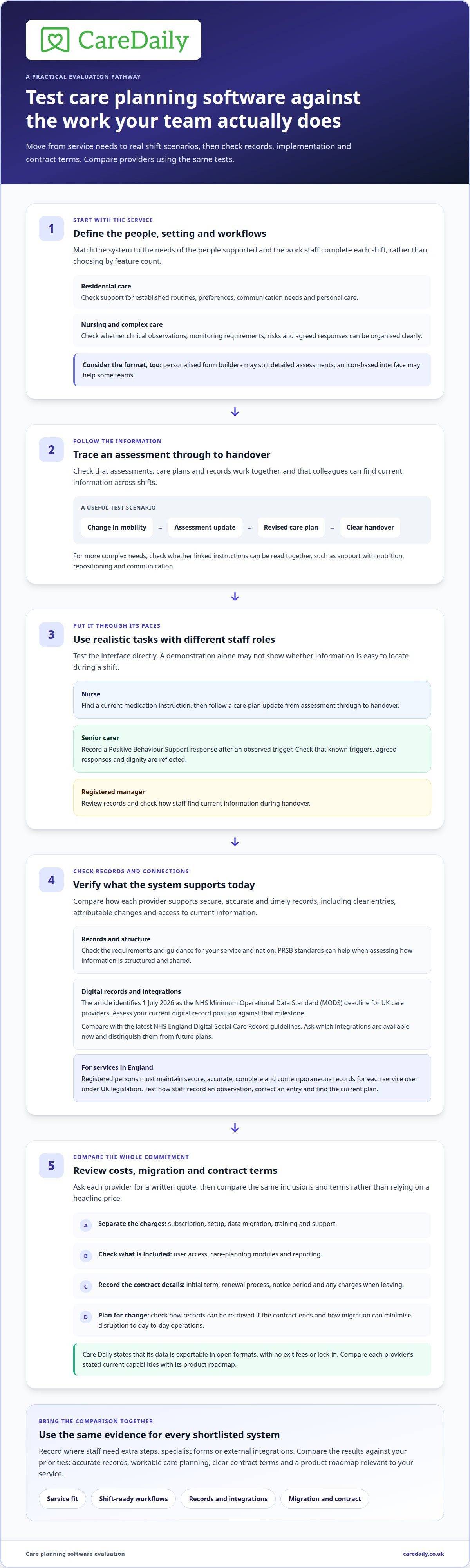
Comparison of care planning software providers
Compare systems by testing care plans, assessments, medication workflows, records and reporting against your home’s daily routines. Prices and contract terms vary, so compare written quotes by total cost, included modules, contract length, renewal terms and exit provisions.
Care planning features
When comparing Cura Systems alternatives for care homes, assess how staff create, update and review individual care plans. Check whether assessments link to plans and whether colleagues can see changes across shifts. Include Positive Behaviour Support planning: staff should be able to record known triggers, agreed responses and approaches that protect each person’s dignity. Test a realistic scenario, such as updating a plan after a change in communication or mobility.
Records matter as much as plan templates. Record-keeping duties depend on the applicable legislation and regulatory guidance for your service and nation. Check the relevant official guidance for your setting, and compare how each system supports secure, accurate and timely records in everyday use, including clear entries, attributable changes and access to current information during handover. PRSB standards can also help you assess how information is structured and shared.
Prices and contract terms
Request a written quote that separates the subscription from any setup, data migration, training or support charges. Compare what the quoted price covers, such as user access, care planning modules and reporting, rather than relying on a headline figure. The cost depends on the selected system and the service’s requirements; it is given after a quote request. Contract terms also affect value, so record the initial term, renewal process, notice period and any charges that apply when leaving.
Check how you can retrieve your records if a contract ends. Care Daily keeps data exportable in open formats, with no exit fees or lock-in. Compare each provider’s current capabilities with its stated product roadmap, including plans for AI and NHS integrations. Future intentions are not the same as functions staff can use today.
Use the same practical test for each shortlisted system. Ask a nurse to find a current medication instruction, then follow a care-plan update from assessment through to handover. In another scenario, ask a senior carer to record a Positive Behaviour Support response after an observed trigger. These tasks show whether linked information is easy to find, not just present in a feature list.
Record the results against your home’s priorities: accurate records, workable care planning, clear contract terms and a product roadmap relevant to your service. A system that supports complex nursing workflows may differ from one that suits a residential home’s routines. Compare the same scenarios and quote details across providers so decision-makers can see the differences.
Software suitability for residential, nursing and complex care
A suitable system should reflect the needs of the people supported and the work staff complete each shift. A residential home supporting people with established routines may need different care-plan structures from a nursing service recording clinical observations or a complex-care team coordinating several interventions.
For people with straightforward daily support, check that staff can clearly record preferences, communication needs, personal care and agreed routines. Trace one change, such as a new mobility aid, from assessment through the updated plan to the next handover. The change should be easy for the next staff member to understand without obscuring the person’s choices.
Complex needs call for adaptable planning. Consider whether the system can present linked needs, individual risks, monitoring requirements and agreed responses in a usable format. For example, a person needing support with nutrition, repositioning and communication may have separate instructions staff must read together. An icon-based interface may help some teams, while personalised form builders may suit services that need more detailed assessments.
Digital record requirements also belong in the assessment. The NHS Minimum Operational Data Standard (MODS) deadline for UK care providers was July 1, 2026. Providers considering a replacement should assess their current digital record position against that milestone, rather than treating MODS as a future date. Ask how a system structures information and supports the records your service needs to maintain.
Compare prospective systems with the latest NHS England Digital Social Care Record (DSCR) guidelines, particularly if your care home needs to connect with NHS systems or support shared working. Ask which integrations are available now and distinguish them from future plans. Care Daily integrates with NHS Spine, but check that the specific workflow your service needs is supported before treating an integration as part of everyday practice.
In England, registered persons must maintain secure, accurate, complete and contemporaneous records for each service user under UK legislation. Test how staff record an observation, correct an entry and find the current plan during a shift. Care Daily keeps records attributable, showing who created, changed and approved them. A system’s suitability also depends on how well these steps fit the home’s staffing and handover routines.
Use one residential scenario and one nursing or complex-care scenario when assessing a shortlist. Record where staff need extra steps, specialist forms or external integrations. A requirements discussion can help structure those decisions; map your care software requirements against the workflows your service relies on.
User experience and implementation support
A system can include the right functions yet slow a shift if staff cannot find them quickly. Assess the experience for each role: a registered manager reviewing records, a nurse recording an update and a carer opening a plan during handover. Test each task in the interface instead of judging from a sales demonstration alone.
Use realistic scenarios when comparing Cura Systems alternatives for care homes. Ask a staff member to find a current support instruction, record a change and show where a colleague can see it. Repeat the task on a mobile device if staff use one during care. Watch for repeated data entry, unclear labels or steps that make an urgent instruction harder to find. A short, task-based walkthrough reveals friction that a feature list can miss.
Implementation support matters because new software changes established routines. Before signing, decide who will lead the project, make configuration decisions and handle questions during rollout. For example, a deputy manager might coordinate care-plan templates while a nurse reviews medication workflows. Ask for an implementation plan that sets out responsibilities, training, milestones and how progress will be reviewed.
Training should reflect different roles and shifts. A registered manager may need to learn reporting and access controls, while a night carer needs to find essential instructions without navigating unused functions. Ask how staff who miss a group session can catch up or get a refresher. Build time for practice into the rollout, using sample records before staff rely on the system during live care.
Plan data migration separately. Identify which records need transferring, how documents and attachments will be handled, and how duplicate or outdated entries will be managed. Keep a service user’s current plan, risk assessment and relevant history distinguishable from archived material. Agree how migrated information will be checked, who signs off discrepancies and how corrections will be handled.
Plan the transition around the home’s operational routine. Switching during a busy handover can leave staff unsure which record is current, so give clear cutover instructions. Define when staff stop entering information in the previous system, where they record urgent updates during the transition and how managers confirm access. Assess the migration plan to reduce operational risk and disruption.
After go-live, review how staff actually use the system rather than assuming training has resolved every issue. A manager can sample a handover, observe how staff find a plan and collect recurring questions. This feedback helps distinguish a training gap from a workflow or configuration problem, giving the implementation team a practical basis for follow-up.
Care settings supported
A platform may serve several care settings, but shared features do not automatically suit every workflow. Compare the service types supported, then test whether staff can record each setting’s information in a way that reflects daily practice. Residential homes, children’s homes and domiciliary care teams may all need care plans but use them differently.
In a residential home, staff need to make people’s preferences and daily routines accessible across the team. Test a typical handover: can the incoming carer find current support instructions and understand what has changed? In a nursing home, include a medication round or observation handover. The question is whether the system supports the work, not simply whether a feature appears in a menu.
Supported living puts a different emphasis on independence. Assess whether records help staff provide agreed support in a person’s own home without making every activity feel institutional. For example, a plan might explain how someone prefers to be prompted to prepare a meal, rather than framing it as a task staff complete for them. Consider how the system records personal choice and support boundaries.
Children’s homes and supported accommodation need workflows suited to children and young people. Test a scenario involving a young person’s daily routine, key-worker notes and a change in support needs. Consider whether staff can find relevant information promptly and record it consistently. If your organisation also provides adult residential care, compare how the system separates records, forms and team processes across services.
Domiciliary care teams work across clients’ homes rather than a single building. Follow a visit from the carer’s perspective: can they access the right client information, record the outcome and communicate a relevant change to colleagues? Mental health services may also need records that reflect individual support plans and changing needs. Ask how the system accommodates each service’s terminology and routines.
For providers with multiple service types, assess whether a shared platform creates a coherent view or forces different workflows into one template. Compare a residential handover with a domiciliary visit record, then decide which information should remain distinct. Clear separation matters when teams work across locations, roles or service types. One login does not mean every team needs identical forms.
Write down the settings your organisation actually operates, then choose a realistic task from each. That makes the comparison specific to your staff and service users. Explore a care software setup that reflects the settings your organisation supports.
Care Daily
Care Daily helps care providers bring key management tasks into a connected workflow. Its platform combines digital care planning, staff rostering, eMAR and a policy library, with templates that can be adapted to your service’s requirements. These tools support domiciliary and residential care services, with dedicated editions for children’s homes and supported accommodation.
Care Daily may suit your service if you are comparing alternatives and want care plans, staff schedules, medication management and policy resources in one platform. Check how those tools fit your setting, team workflows and implementation priorities before deciding.
If you’d like to discuss how Care Daily could fit your service, contact Care Daily.
Choose the next step with confidence
A good software decision gives your team a clear path from evaluation to everyday use. Before committing, define success for your service: staff can find current information, managers can oversee consistent records and care plans remain practical for the people delivering support. These priorities provide a useful basis for comparing Cura Systems alternatives for care homes.
Care Daily brings care management software together with digital care planning, eMAR and a policy library. This combination can help providers connect care records with the policies that guide their teams. Consider how the capabilities fit your service’s workflows and priorities.
If you’re ready to explore the fit for your organisation, contact Care Daily to discuss your options. A considered next step can help your team move forward with clarity and confidence.
Frequently Asked Questions
Which care home software integrates with NHS systems, pharmacies and payroll platforms?
Care Daily integrates with NHS Spine, Xero, Sage and QuickBooks, and its eMAR supports medication management and pharmacy orders. These are distinct workflows: an electronic medicines record does not, by itself, establish a connection to a pharmacy’s dispensing system. Map the exchange your home needs, such as medication orders or payroll data, and compare it with each system’s available integrations before choosing.
Which UK care home software providers support CQC compliance and inspection reporting?
Care Daily supports CQC-related compliance through its CQC-aligned policy library, care quality compliance tools and inspection-readiness functions. For an English care home, useful reporting should help managers bring together relevant evidence, such as audits, incidents and care records, rather than relying on a single dashboard indicator. The platform is not endorsed by the CQC; responsibility for the home’s compliance and inspection preparation remains with its registered provider.
What cybersecurity, data protection and UK GDPR risks should care homes consider when switching software?
Key risks include inappropriate access to service-user records, incomplete transfers and unclear control of retained information. Care Daily uses role-based permissions and two-factor authentication by authenticator app or emailed code. Its files are stored in Amazon S3 in the London region, and records identify who created, changed or approved them. During a switch, map who can access transferred records and how staff will handle information throughout the transition.
How easy is it to migrate resident records from Cura Systems to another care home system?
Plan migration separately: identify which records, documents and attachments to transfer, decide how to handle duplicate or outdated entries, and agree how to check and sign off discrepancies. Care Daily provides data migration support, and clear cutover instructions can reduce confusion and disruption during the transition.
Which Cura Systems alternatives are best for small care homes, nursing homes and multi-site providers?
Choose by care setting and workflow rather than provider size: residential homes may prioritise routines and clear handovers, while nursing or complex-care services may need clinical observations, adaptable plans, personalised forms or an icon-based interface. The material gives no specific recommendation for small or multi-site providers.
Frequently asked questions
Which care home software integrates with NHS systems, pharmacies and payroll platforms?
Care Daily integrates with NHS Spine, Xero, Sage and QuickBooks, and its eMAR supports medication management and pharmacy orders. These are distinct workflows: an electronic medicines record does not, by itself, establish a connection to a pharmacy’s dispensing system. Map the exchange your home needs, such as medication orders or payroll data, and compare it with each system’s available integrations before choosing.
Which UK care home software providers support CQC compliance and inspection reporting?
Care Daily supports CQC-related compliance through its CQC-aligned policy library, care quality compliance tools and inspection-readiness functions. For an English care home, useful reporting should help managers bring together relevant evidence, such as audits, incidents and care records, rather than relying on a single dashboard indicator. The platform is not endorsed by the CQC; responsibility for the home’s compliance and inspection preparation remains with its registered provider.
What cybersecurity, data protection and UK GDPR risks should care homes consider when switching software?
Key risks include inappropriate access to service-user records, incomplete transfers and unclear control of retained information. Care Daily uses role-based permissions and two-factor authentication by authenticator app or emailed code. Its files are stored in Amazon S3 in the London region, and records identify who created, changed or approved them. During a switch, map who can access transferred records and how staff will handle information throughout the transition.
How easy is it to migrate resident records from Cura Systems to another care home system?
Plan migration separately: identify which records, documents and attachments to transfer, decide how to handle duplicate or outdated entries, and agree how to check and sign off discrepancies. Care Daily provides data migration support, and clear cutover instructions can reduce confusion and disruption during the transition.
Which Cura Systems alternatives are best for small care homes, nursing homes and multi-site providers?
Choose by care setting and workflow rather than provider size: residential homes may prioritise routines and clear handovers, while nursing or complex-care services may need clinical observations, adaptable plans, personalised forms or an icon-based interface. The material gives no specific recommendation for small or multi-site providers.
More from the blog
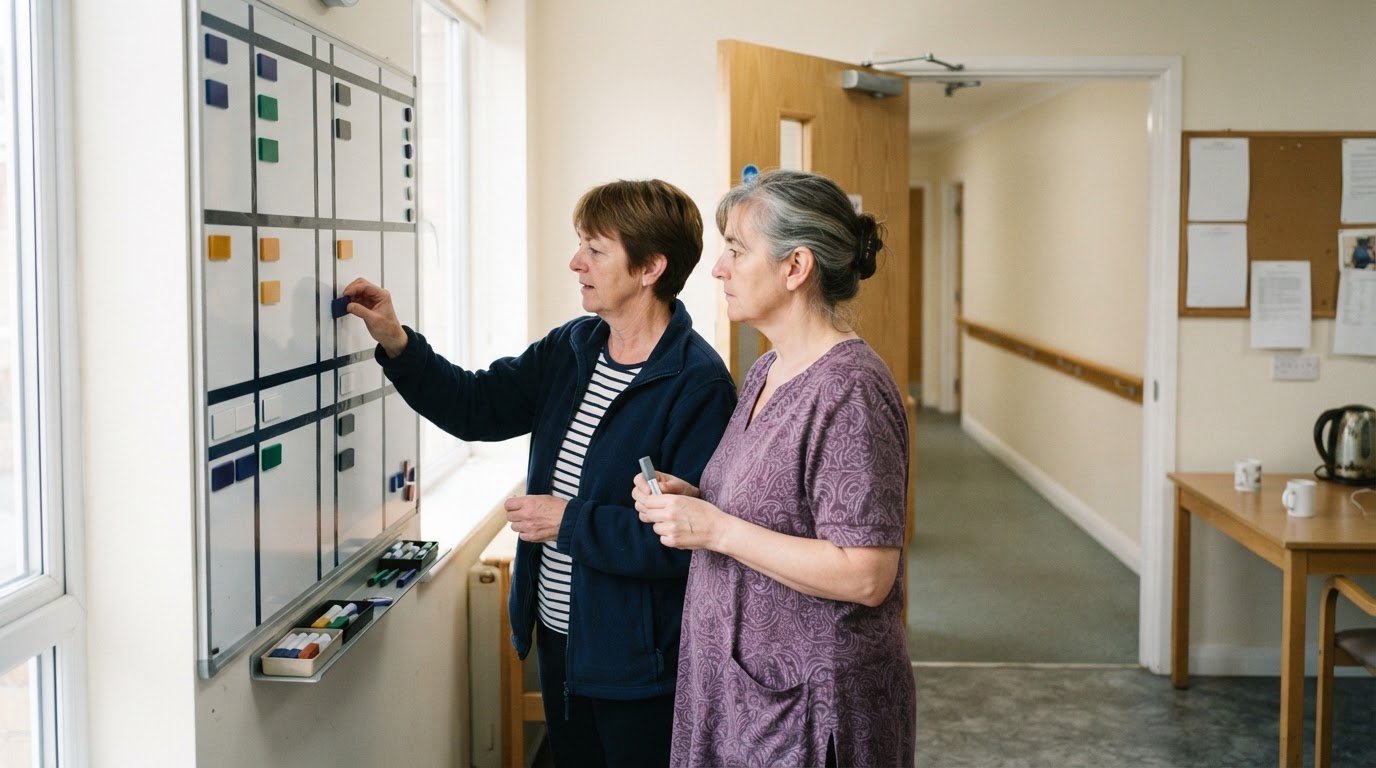
CoolCare alternatives for UK residential care homes
Compare CoolCare alternatives for residential care homes, assessing care planning, usability and group oversight, plus what to test in a demo or trial.
Read more →
Compare care software pricing, quotes and switching time
Compare Access Workspace for Care alternatives and pricing, and assess annual costs, tailored quotes, workflows and onboarding before switching care software.
Read more →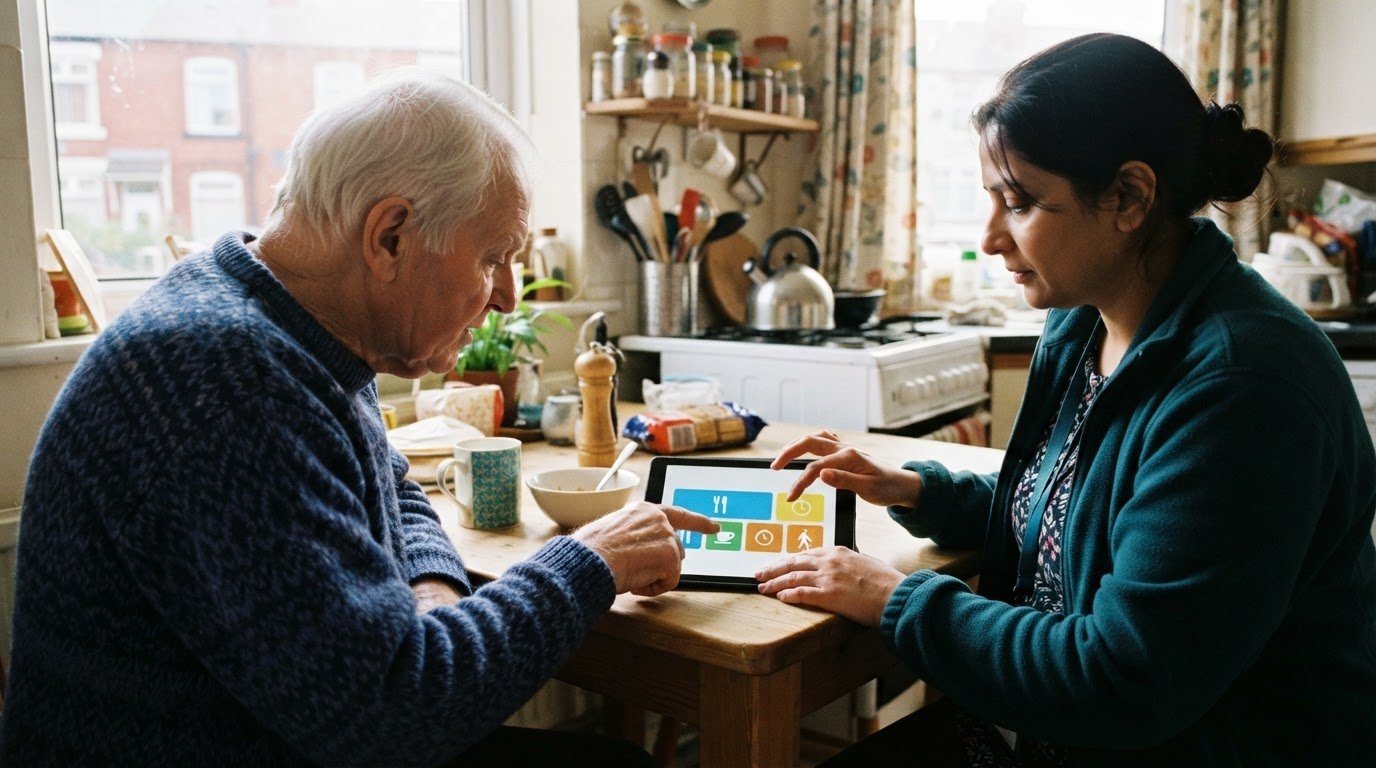
Access Care Planning alternatives: compare features and flexibility
Compare Access Care Planning alternatives UK for flexibility, digital plans, integration and practical criteria to find the right fit for your care services.
Read more →