
Which care planning system fits your home’s needs?
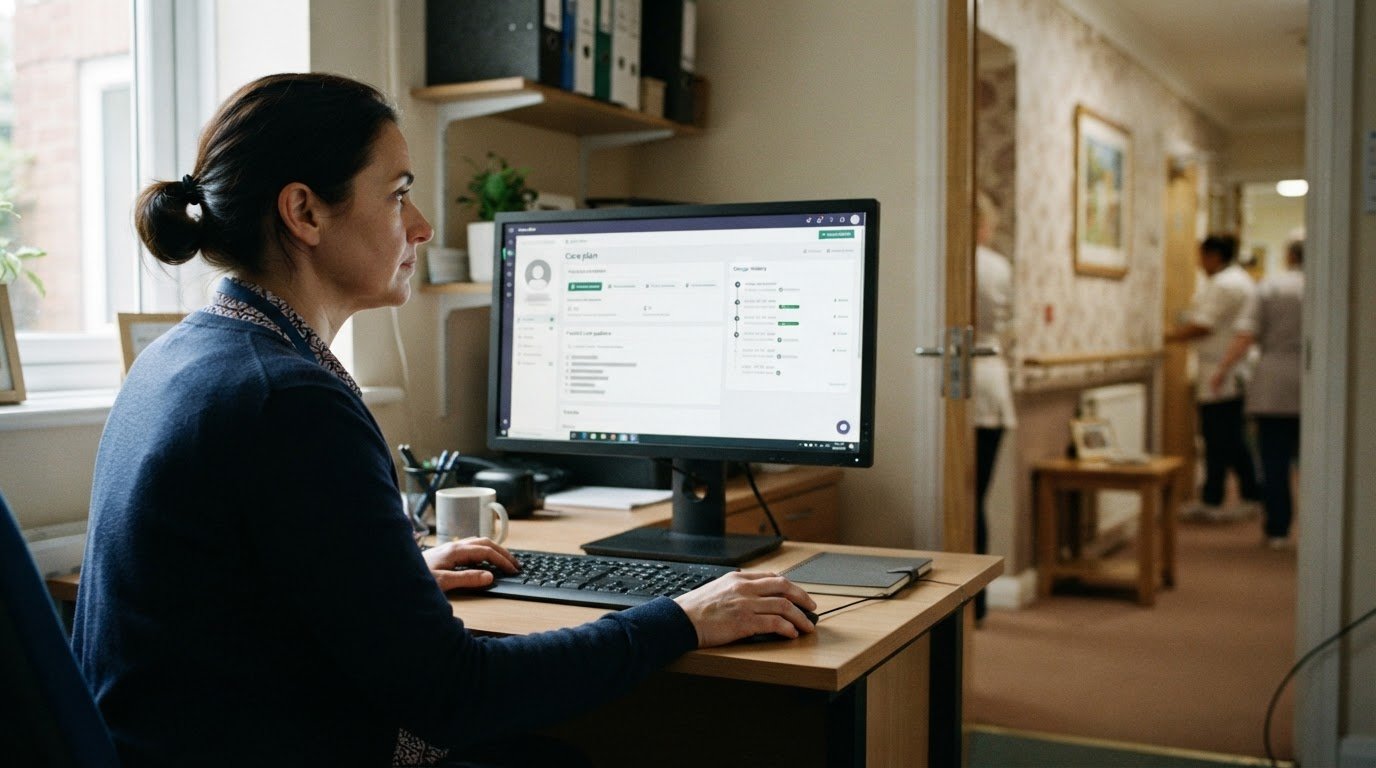
CareDocs alternatives care planning software UK should be compared by how well each system fits your care model and helps staff work consistently. For UK providers, look for practical tools that bring care guidance, compliance evidence and management oversight into everyday workflows.
A platform may look capable in a demonstration but prove less suitable across real shifts, services or settings. Focus on the details: how easily staff find current care guidance, how managers oversee work and how well the system fits your service.
This comparison considers how UK care planning platforms support compliance evidence, consistent care, reporting and audit trails. It also looks at differences between domiciliary and residential services, so you can assess practical fit rather than choose by feature count alone.
Key Takeaways
- Compare platforms by how they organise compliance evidence and support inspection readiness, not just by their feature lists.
- Assess whether care plans make each person’s preferences and current support guidance clear across staff and shifts.
- Look for reporting and audit trails that help managers identify gaps and follow up consistently.
- Match the system to your setting and operational needs, including how care is delivered across domiciliary and residential services.
- Consider whether an integrated platform for care management, digital care planning, staff rostering and policies fits your service’s priorities.
Inspection readiness and compliance evidence
Inspection readiness depends on whether providers can bring relevant evidence together and explain how it reflects people's care. In England, CQC inspections may examine records alongside staff discussions and people's experiences. Digital systems can make evidence easier to find, but they cannot make incomplete records reliable or demonstrate good care by themselves.
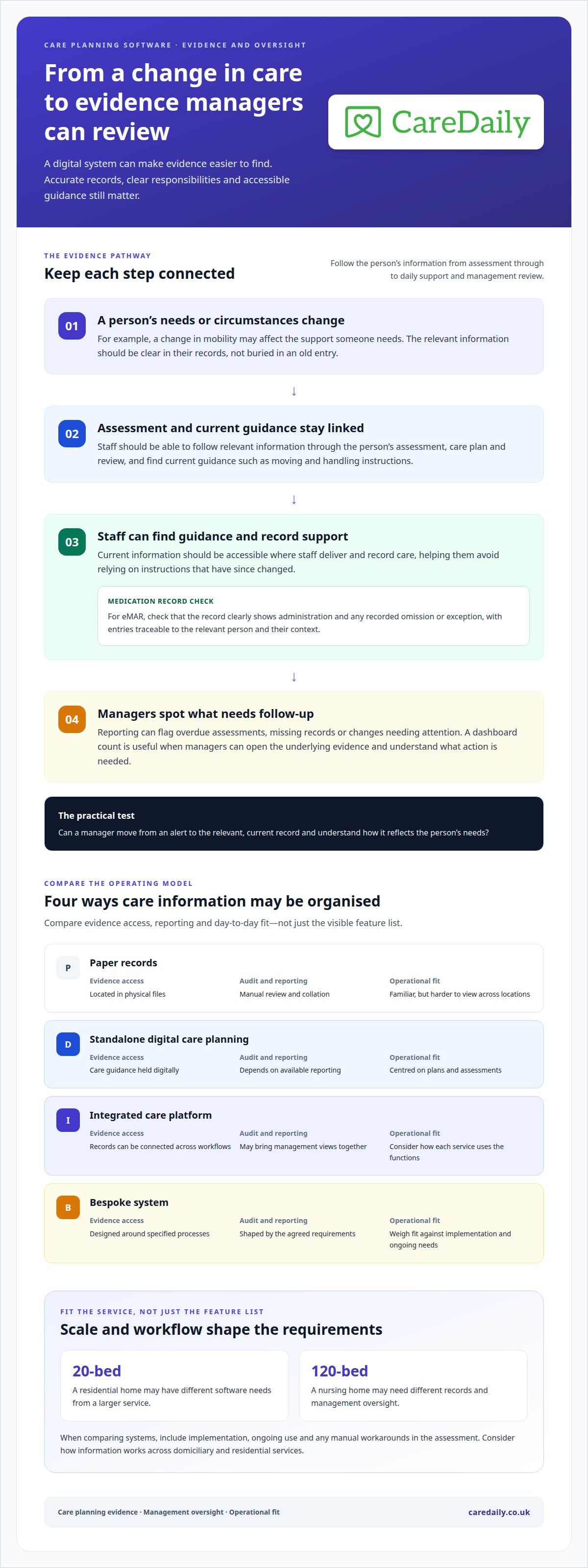
Check how a platform links each person's assessment, care plan, review and daily records. For example, if someone's mobility changes, staff should be able to find current moving and handling guidance, see when it was updated and record support accordingly. If the change is buried in an old entry, managers will have a harder time overseeing care.
For eMAR, check whether the medication record clearly shows administration and any recorded omission or exception. Electronic records are not automatically "CQC-compliant": their value depends on accurate entries, clear responsibilities and accessible evidence. Managers should be able to trace an entry to the relevant person and review its context, not rely on a dashboard figure alone.
Audit readiness also depends on how the system supports review. Check whether managers can spot overdue assessments, missing records or changes needing follow-up, then open the underlying evidence. Dashboards can direct attention, but a headline count is useful only when staff can access the relevant record and understand what action is needed. The same applies to digital care records in domiciliary services and care homes.
Care settings also differ in scale and workflow. A 20-bed residential home and a 120-bed nursing home can have different software needs, including the records managers need to oversee. When comparing a bespoke care home system with multiple off-the-shelf platforms, include the costs of implementation, ongoing use and any manual workarounds in your assessment. Compare the whole operating model, not just the visible software features.
| Option | Evidence access | Audit and reporting | Operational fit |
|---|---|---|---|
| Paper records | Located in physical files | Manual review and collation | Familiar, but harder to view across locations |
| Standalone digital care planning | Care guidance held digitally | Depends on available reporting | Centred on plans and assessments |
| Integrated care platform | Records can be connected across workflows | May bring management views together | Consider how each service uses the functions |
| Bespoke system | Designed around specified processes | Shaped by the agreed requirements | Weigh fit against implementation and ongoing needs |
Choose a system that helps managers move from a dashboard alert to clear, current evidence, while keeping records centred on each person's needs. For more details, read our guide on digital care planning workflows.
When information is dispersed, evidence may be present without making the person's needs and preferences clear to those reviewing care. When care information is spread across systems or records, staff can find it harder to understand the person behind the care. Important details about how a service user wants to be supported can become buried or overlooked in records. During preparation, check that relevant information can be followed through the person's assessment, plan, reviews and daily notes, and that staff can identify the guidance that should shape support. This helps keep records useful as evidence of care that reflects the individual, rather than a collection of disconnected entries.
Consistency of care across staff and shifts
Care is more consistent when staff can find current guidance where they record and deliver support. If information is spread across records, important preferences can be easy to miss during a busy handover. For example, a domiciliary carer arriving for an evening visit needs clear guidance on a person’s usual routine, not an outdated note buried elsewhere.
Which care planning software integrates with NHS systems, pharmacies and payroll tools in the UK? UK platforms do not all share the same integrations. NHS systems, pharmacy links and payroll connections vary by supplier and configuration, so assess each connection separately.
Connected care records should make relevant information easy to access, with permissions suited to each role. In a care home, a senior carer may need a resident’s current support plan and medication instructions during a shift. In domiciliary care, a carer may need the same essential guidance between visits. Clear access helps staff avoid relying on instructions that have since changed.
Which UK care planning systems offer mobile apps and offline access for care staff? Mobile apps and offline access are distinct features, and availability varies across systems. In a demonstration, see how staff access the right care records in their working environments, including what happens when there is no connection.
Staff training should cover realistic workflows, not just a tour of menus. A useful session follows a task from start to finish: opening a person’s record, finding the current plan, recording support and escalating a change. Training should also explain how to record medication activity and where managers review audit trails. Role-based sessions help carers, coordinators and managers focus on their respective tasks.
For care homes switching platforms, budget for a 2-4 week parallel-running period. During that time, the supplier should support staff with clear guidance on which records remain authoritative, how discrepancies are handled and how questions are escalated. A planned overlap helps managers identify missing or mis-mapped information before the previous process ends.
How can a care planning software supplier support migration of care plans, medication records and client data? The supplier can scope the migration, map available information to the new system and agree how records will be checked after transfer. Clear decisions about archived notes, active plans and medication data help maintain continuity during the change.
At Care Daily, we find that implementation works best when training reflects each service’s actual handovers and responsibilities. A discussion about getting started with care management software can help connect those operational needs to a suitable rollout.
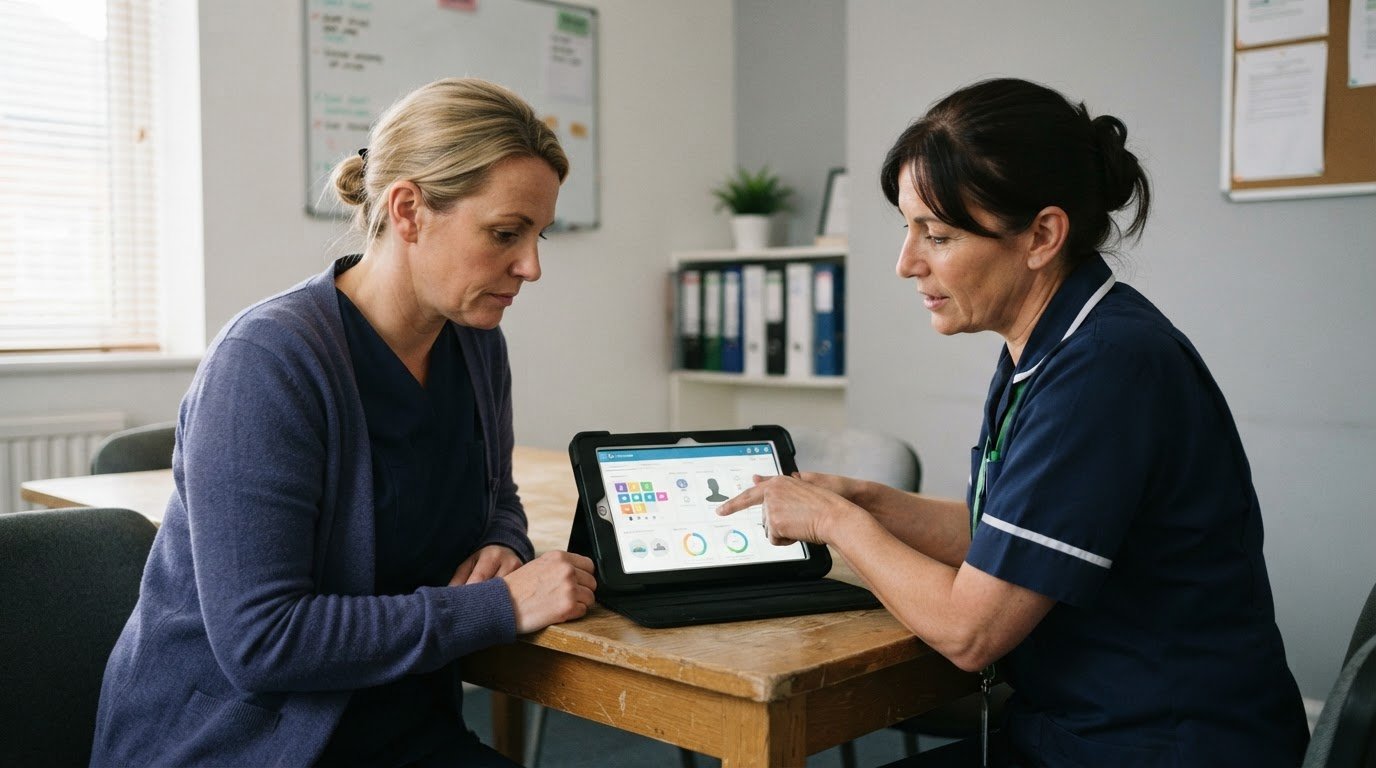
Management dashboards, reports and audit trails
A dashboard is useful when it helps managers turn an overview into a clear operational action. For example, a report showing overdue care plan reviews should let a manager identify the person, check the review status and assign follow-up. A headline number without access to the underlying records offers little support for day-to-day oversight.
Compare reports by asking what each view shows and how managers can use it. A domiciliary care coordinator may need to review missed or late visits alongside records explaining what happened. A care home manager may focus on outstanding assessments or incidents needing review. Reports should clearly state their date range, filters and definitions, so managers can interpret information consistently across teams.
Audit trails help explain how a record changed over time. Check whether the system records who updated a care plan, when the change occurred and what information changed. For example, after a mobility assessment is revised, managers should be able to follow the update into the current plan and see whether staff recorded support accordingly. This makes the workflow easier to review.
Risk management works best when assessments lead to clear actions in care plans. If an assessment identifies a falls risk, the plan should describe agreed support, such as assistance when moving from bed to chair. Reports can then help managers spot a review due or a missing record. The system supports oversight, but staff must still record events accurately and promptly.
Rostering and workforce management also affect continuity. A rota showing planned visits or shifts alongside service requirements can help coordinators identify gaps before they disrupt support. A late change to a domiciliary visit may affect later appointments, while an unfilled care home shift may prompt a manager to review cover. Assess how rosters, staff information and care workflows connect instead of treating scheduling as a separate administrative task.
Person-centred software should help managers understand service delivery without reducing people to dashboard totals. During a demonstration, follow one example from assessment to care plan, roster, recorded visit and management report. Check whether each step creates a usable record and whether managers can trace concerns through the audit trail. This reveals how care management works in practice, beyond the feature list.
Finally, assess reporting against your service’s management needs and contract monitoring. A local authority report may require different information from an internal review of changing support needs. Choose a platform whose reports support the decisions managers actually make and show the context behind each result.
Alternative care planning platforms
UK care providers can compare care-planning-focused systems with broader platforms combining care records, rostering and compliance workflows. The right fit depends on service settings, staff routines and management priorities, not simply the number of features.
Care planning, eMAR and compliance features
Alternative UK care planning platforms differ in how they connect care plans, electronic medication records, rostering and compliance functions. Some focus on assessments and support plans; others link those records with staff scheduling and oversight. Compare how each supports centred care, medication recording and access to relevant information, rather than treating a long feature list as proof of fit.
For a care home, follow a changed nutrition assessment through to the updated plan and daily recording. In domiciliary care, consider how a carer finds current guidance during a visit. These examples show whether a platform fits staff workflows and gives managers the records they need to review.
Costs of competing systems
Costs vary by supplier and depend on what the contract includes. Compare the functions selected, onboarding, service requirements and contract terms. Setup charges, subscriptions and separately priced modules can affect the total, so compare equivalent requirements rather than relying on a headline figure.
A standalone planning system and a broader platform may support different workflows. Consider which functions staff will use and how the supplier handles onboarding. Care homes and domiciliary providers may have different priorities, so assess costs against your service’s actual requirements.
Comparisons are most useful when they follow a real work sequence. Trace a change from assessment to updated plan, staff scheduling and management review. This shows whether a platform supports connected tasks across the care team, rather than meeting one requirement in isolation.
Onboarding shapes the transition too. A clear plan explains how existing information is handled, how staff learn the new workflows and how continuity is maintained as teams adapt. Consider whether staff can access the information they need in their usual working environment, whether visits take place in people’s homes or care is delivered across care home shifts.
Finally, match the system to the way your organisation operates now and the changes it expects. A platform should support person-centred care alongside practical coordination and oversight. Explore care management options as part of your comparison.
Care Daily
Care Daily brings care management, digital care planning and staff rostering into one platform for UK care providers. Its Policy & Procedure Library helps providers keep policies alongside day-to-day care processes. These tools suit services looking for an alternative that connects care records, planning and staff coordination instead of treating each as a separate task.
At Care Daily, we recognise that the right fit depends on how your service works, whether you coordinate domiciliary visits or support people in a care home. If you’re weighing up systems, consider how the platform could support your team’s care planning and management needs. Contact Care Daily to discuss your requirements.
Choose a system that supports your next stage
Turn your comparison into a decision your team can support. Identify the operational change that matters most, such as smoother handovers or clearer management follow-up, then use it to assess which platform best fits your priorities.
Care Daily may be worth considering if you want to explore how a connected platform could fit your organisation’s workflows. Take time to map your priorities against the way staff and managers work, then explore your options with Care Daily.
A sound choice starts with the realities of your service and the people delivering support. Keep them at the centre of the decision to find a system that works for your team.
Frequently Asked Questions
What is the best domiciliary care software for UK agencies in 2026?
The right system fits your agency’s size, workflows and care model. Compare how it handles visit scheduling, digital care plans, medication records, staff access and management oversight. Care Daily brings care management, rostering, eMAR and compliance tools together in one platform. An agency coordinating community visits, for example, may prioritise mobile access, while a provider with several services may focus on consistent oversight across teams.
Which CareDocs alternatives support CQC requirements and UK adult social care regulations?
Several platforms organise care records, policies and compliance evidence, but software alone does not ensure regulatory compliance. For adult social care in England, assess whether a system helps your team maintain clear, attributable records and access relevant policies. Care Daily includes a library of policies and procedures, alongside compliance tools. Providers in Scotland, Wales and Northern Ireland should also consider the regulatory framework that applies to their services.
What should UK care providers look for in a care planning software supplier before choosing or switching systems?
Look beyond the demonstration: understand how the supplier handles existing information, staff adoption, ongoing support and data access. Ask for a clear account of migration scope, including archived records and medication information, and how staff can practise real tasks before using the new system as their main record. Review contract and export terms as well. These details help managers plan a change that maintains continuity for service users.
How easy is it to migrate care plans, medication records and client data from CareDocs?
The supplier can scope migration, map available information to the new system and agree how records will be checked after transfer. Decide how archived notes, active plans and medication data will be handled.
Frequently asked questions
What is the best domiciliary care software for UK agencies in 2026?
The right system fits your agency’s size, workflows and care model. Compare how it handles visit scheduling, digital care plans, medication records, staff access and management oversight. Care Daily brings care management, rostering, eMAR and compliance tools together in one platform. An agency coordinating community visits, for example, may prioritise mobile access, while a provider with several services may focus on consistent oversight across teams.
Which CareDocs alternatives support CQC requirements and UK adult social care regulations?
Several platforms organise care records, policies and compliance evidence, but software alone does not ensure regulatory compliance. For adult social care in England, assess whether a system helps your team maintain clear, attributable records and access relevant policies. Care Daily includes a library of policies and procedures, alongside compliance tools. Providers in Scotland, Wales and Northern Ireland should also consider the regulatory framework that applies to their services.
What should UK care providers look for in a care planning software supplier before choosing or switching systems?
Look beyond the demonstration: understand how the supplier handles existing information, staff adoption, ongoing support and data access. Ask for a clear account of migration scope, including archived records and medication information, and how staff can practise real tasks before using the new system as their main record. Review contract and export terms as well. These details help managers plan a change that maintains continuity for service users.
How easy is it to migrate care plans, medication records and client data from CareDocs?
The supplier can scope migration, map available information to the new system and agree how records will be checked after transfer. Decide how archived notes, active plans and medication data will be handled.
More from the blog
Cura Systems alternatives for UK care homes
Compare Cura Systems alternatives care homes can use, with guidance on workflows, records, migration and usability for residential, nursing and complex care.
Read more →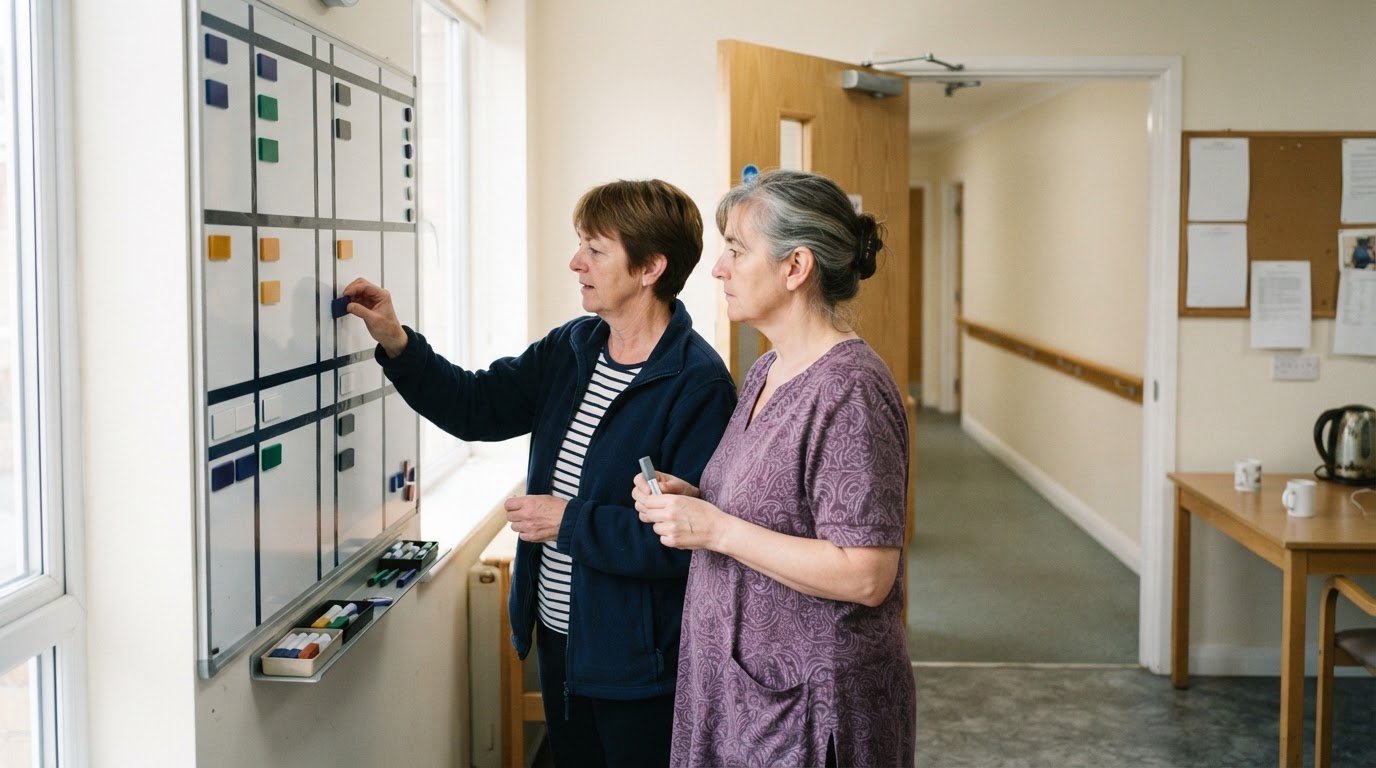
CoolCare alternatives for UK residential care homes
Compare CoolCare alternatives for residential care homes, assessing care planning, usability and group oversight, plus what to test in a demo or trial.
Read more →
Compare care software pricing, quotes and switching time
Compare Access Workspace for Care alternatives and pricing, and assess annual costs, tailored quotes, workflows and onboarding before switching care software.
Read more →