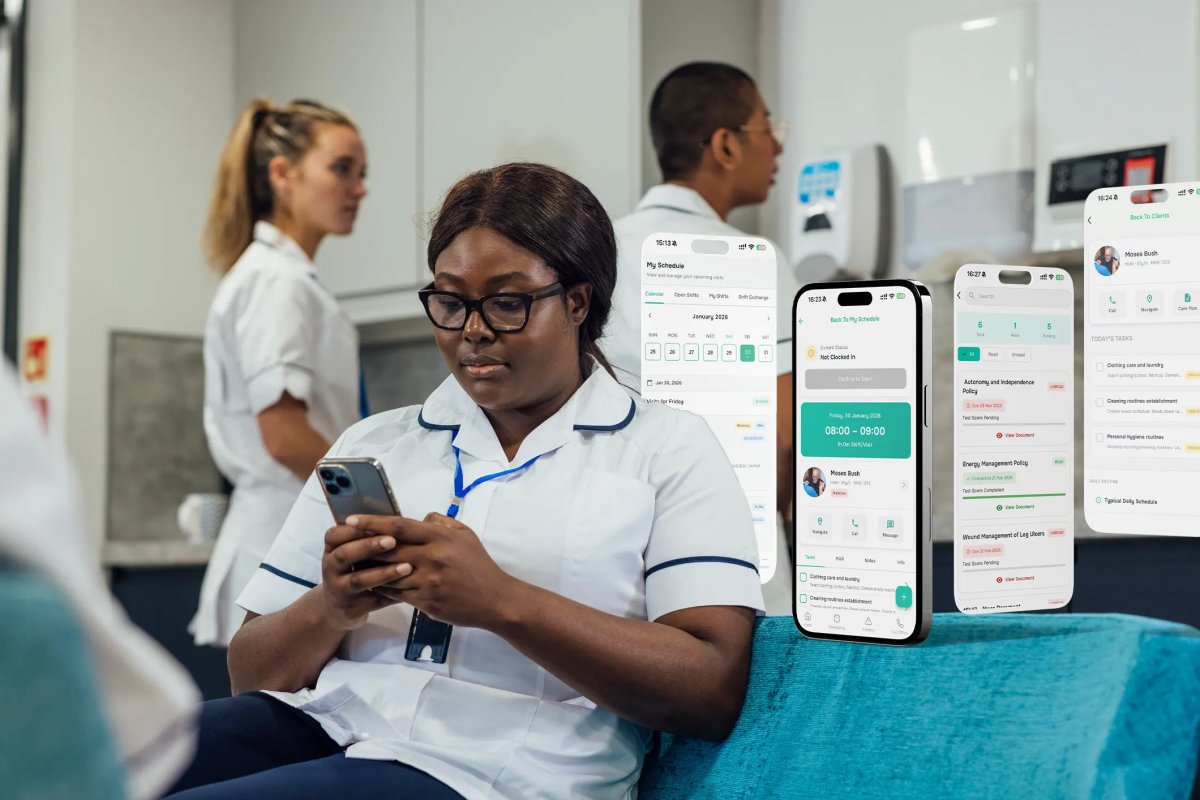
The headline subscription doesn’t tell you what a care system will cost to run. Comparing CarePlanner pricing with all-in-one care management means weighing the full annual fee against the functions, integrations and processes each package covers.
It’s understandable to focus on the quoted fee: software budgets need to be clear and defensible. But a lower starting price may cover fewer operational needs, while a broader platform may bring more day-to-day work together.
This comparison explains how to assess UK care software costs, including what to check across care planning, rostering and finance. You’ll have a clearer basis for judging whether separate tools or one platform better suits your service’s workflows and budget.
Key Takeaways
- Compare package scope as well as the quoted fee, so you can see which operational needs each option covers.
- Map how care planning, rostering and finance connect in your service before deciding whether separate tools or one platform fits better.
- Assess annual fees in the context of included features, implementation needs and the way your team works.
- Consider how requirements differ across service types, such as coordinating community visits versus supporting care within a residential setting.
- Explore whether Care Daily’s care management software, digital care planning, staff rostering and policy library align with your operational needs.
Care management software pricing in the UK
Care management software costs depend on the work a package covers and how it fits a provider’s operations. For a UK comparison, list the functions you need, then assess each package against them. Include rostering, care planning, eMAR, invoicing and compliance, rather than comparing subscription labels alone.
CarePlanner is home care management software, so consider how its package supports your domiciliary care workflows. An all-in-one platform may bring more functions together, but the label alone doesn’t show what is included. Compare package descriptions and note any operational tasks that still require a separate system.
How do CarePlanner and all-in-one platforms compare in rostering, care planning, eMAR, invoicing and compliance? It depends on the functions included in each package. Check each area separately: your service may need visit scheduling and care plans, as well as medication records, billing workflows and compliance documentation.
Features matter most when they connect in the working day. For example, when a coordinator changes a visit, the carer’s schedule and the client’s care information may also need to stay aligned. In a residential service, staff may need quick access to care plans and medication records during a shift. Use examples from your own service to test whether a platform supports the whole process.
Integrations affect which tasks remain outside the main system. List the tools used for payroll, invoicing and other routine administration, then identify the connections you need. A feature listed in a package description doesn’t explain how information passes between systems. Record the workflow and handovers involved, so your comparison reflects staff practice rather than feature names.
To compare annual costs consistently, record the package scope, billing period, onboarding needs and any separate systems your team would retain. Your software price depends on factors such as the modules selected, user requirements, setup and integrations. The exact figure is provided in a quote for your case. A [UK care software pricing overview](https://www.caredaily.co.uk/company/pricing) can help frame the comparison without relying on an unsupported market average.
How can a care provider get a CarePlanner quote or arrange a demo? Contact CarePlanner through its own sales channels and describe your service, required functions and current workflows. A useful demonstration should follow a familiar task, such as updating a care plan and scheduling a visit, rather than focusing only on a feature tour.
What are the risks of switching from CarePlanner to an all-in-one care management platform? Key risks include disrupted workflows, incomplete data transfer and staff needing to learn a new system. Plan the transition around real records and tasks, including how information will be transferred and how staff will access essential care details during the changeover.
Care planning, rostering and finance on one platform
A comparison of CarePlanner pricing vs all-in-one care management is more useful when it tests how staff use records across a shift. For example, consider a carer returning to a client’s profile to check preferences before a later visit. Can they find the relevant information quickly without searching through unrelated notes?
Also consider whether managers can review patterns without compiling separate reports. A coordinator might need to identify recurring gaps in visit notes before a handover. If information sits across multiple systems, managers may need extra steps to bring it together. Comparing CarePlanner pricing vs all-in-one care management should include how easily each option supports routine oversight.
Ask staff in different roles to assess the same task. A carer can explain what they can access during a visit; a manager can assess what is useful for oversight. Their perspectives may reveal different needs, even within one service.
Care Daily’s care management platform can be considered against those day-to-day requirements when assessing your options.
Annual fees and package pricing
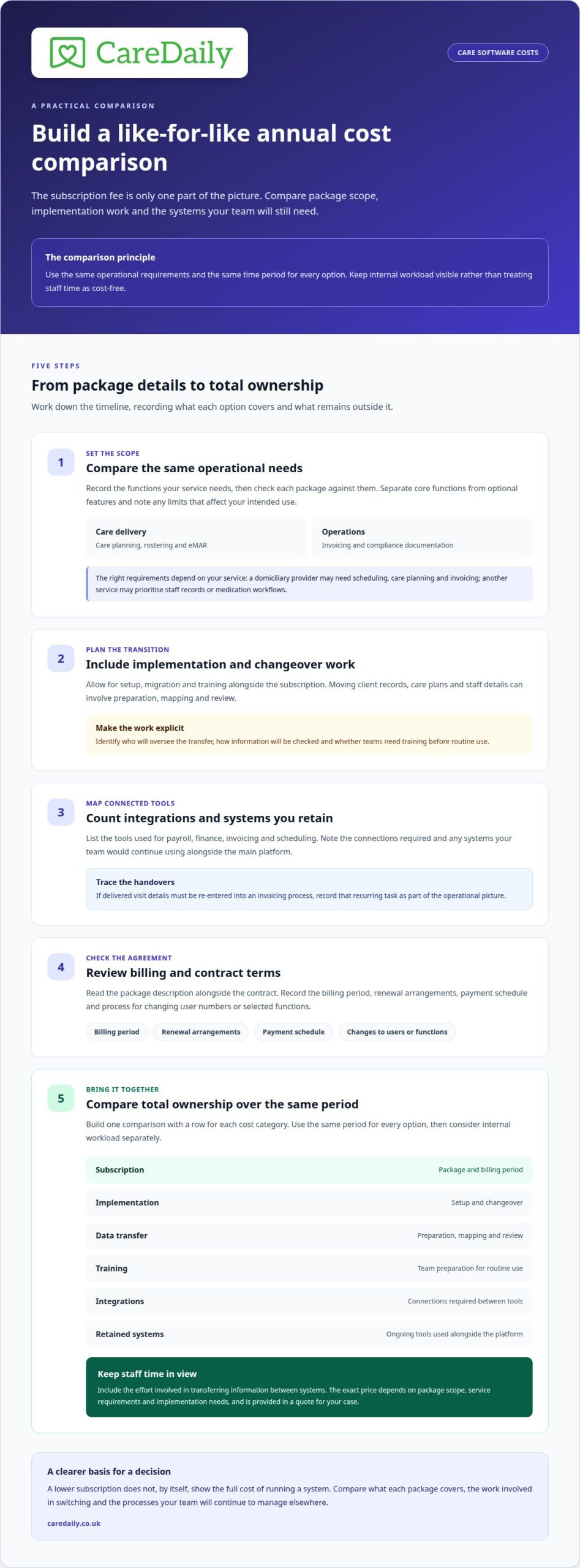
UK care providers should compare the annual subscription with the total cost of ownership, including setup, migration, training, integrations and systems retained alongside the software. The exact price depends on the package scope, service requirements and implementation needs, and is provided in a quote for your case.
Start by recording what each package includes and how often charges recur. Separate core functions from optional features, then note any limits affecting your intended use. For example, a domiciliary provider may need scheduling, care planning and invoicing, while another service may prioritise staff records or medication workflows. A like-for-like comparison uses the same operational requirements for each option.
Next, include transition work in your ownership calculation. Moving client records, care plans and staff details can require preparation, mapping and review. Identify who will oversee those tasks, how information will be checked and whether teams need training before routine use. A lower subscription may still require internal time or separate services to complete the change.
Integrations and retained tools also affect the overall picture. If payroll, finance or scheduling processes still rely on separate systems, include their ongoing costs and the staff time spent transferring information. For instance, manually re-entering delivered visit details into an invoicing process creates a recurring task, even when the main software subscription seems straightforward.
Review contract terms alongside the package description. Note the billing period, renewal arrangements, payment schedule and process for changing the number of users or selected functions. These details shape annual budget planning. A manager preparing for renewal can compare the current package with actual use, including the functions staff rely on and the tools that remain outside it.
To estimate total ownership, build a simple comparison with one row for each cost category: subscription, implementation, data transfer, training, integrations and retained systems. Use the same period for every option. Consider internal workload separately rather than treating staff time as cost-free. This makes the trade-offs clearer for finance leads and registered managers.
Finally, test the comparison against a real workflow from your service. A domiciliary team might trace a new client assessment through scheduling, delivered visits and billing. A residential service might examine how staff access current care records during a shift. The annual package fee matters, but so does whether the selected functions support the work your team must complete.
All-in-one care management platforms for UK providers
UK providers use different types of care management platforms, and no single system suits every service. A domiciliary provider may prioritise visit scheduling, route planning and mobile access. A residential service may focus on care records, shift handovers and medication workflows. All-in-one platforms aim to bring several operational functions together, with the precise scope varying by package.
There is no useful shortlist based on brand names alone. Compare systems by service type and daily tasks. For example, trace a new client from assessment through care planning, scheduling and invoicing. Then check whether the same platform supports staff records, incidents and compliance work. This shows where processes connect and where staff still need separate software or manual handovers.
For domiciliary care, test a changed visit in a realistic scenario. A coordinator needs to update the rota, communicate the change and ensure the carer can access current client information. The manager should also understand how the completed visit is recorded for review or billing. A demonstration using that sequence gives a clearer picture than viewing scheduling features in isolation.
For residential care, use a shift-based example. Follow how a staff member finds current care information, records an update and passes relevant details to colleagues. Then consider how managers access those records for oversight. Children’s services and supported accommodation have distinct workflows, such as recording individual plans and coordinating staff responsibilities. A platform’s fit depends on how well it supports the service’s actual practice.
Assess four areas before choosing a platform: functions, workflow links, implementation and ongoing ownership. Functions show what is covered; workflow links show how information moves. Implementation affects data transfer and staff training, while ongoing ownership includes the tools your team will retain. A system described as all-in-one may still rely on integrations or separate processes for particular tasks.
Include the people who use the system in your assessment. A registered manager can test oversight and records, while coordinators can walk through scheduling changes. Ask a carer to follow a typical task on the mobile interface, then note any unclear steps. Finance staff can trace an invoice back to its supporting visit record. These practical checks help distinguish a feature list from a workable platform.
At Care Daily, we find that comparing one real workflow across service types often surfaces requirements that a feature checklist misses. If you’re assessing whether a connected system suits your operation, map your care management requirements against the tasks your teams complete each day.
Care Daily: Care Management Software
Care Daily brings care management software, digital care planning and staff rostering together for providers seeking a more connected way to organise operations. Its policy library includes CQC-aligned policies and procedures, with free updates to support ongoing compliance.
This may suit providers reviewing whether separate tools create unnecessary handovers between planning and scheduling. For example, a coordinator can consider how a change to a client’s care plan relates to the rota and whether staff can find the relevant procedure when needed. The right fit depends on your service’s workflows and the functions your team needs to bring together.
If you’re considering a change, contact Care Daily to discuss your operational requirements.
Choose the next step that fits your service
A CarePlanner pricing versus all-in-one care management comparison is most useful when it reflects how your team works, not just the software labels. Before deciding, bring together the people who manage care, scheduling and finance. Their day-to-day experience can show which handovers need attention and where a change could offer practical value.
It helps to agree what a successful transition would look like before comparing systems. For one provider, that may mean clearer coordination between teams; for another, it may mean giving managers a more consistent view of operational tasks. Shared priorities make it easier to assess whether a platform supports your service as it develops.
If you’re considering your next step, contact Care Daily to discuss your needs. A thoughtful comparison can help you move forward with greater confidence and keep the focus on the people your service supports.
Frequently Asked Questions
What are typical UK prices for all-in-one care management software?
There isn’t one typical price for all UK care providers. Total cost depends on the platform’s scope, service type, user needs, implementation and data migration, plus any integrations or separate tools you retain. Compare options against the same requirements and billing period. A domiciliary service and a residential provider may need different workflows, affecting the package and setup they need.
How do CarePlanner and all-in-one platforms compare in rostering, care planning, eMAR, invoicing, and compliance?
The comparison depends on the functions included in each package. Check rostering, care planning, eMAR, invoicing and compliance separately, and note any tasks that require a separate system.